

Knowing how to reset your myNSFAS password is essential, especially if you’ve been locked out of your account or can’t remember your login details.
This guide explains exactly how to reset your myNSFAS password so you can get back in and track your application, funding, or sign your bursary agreement.
When Should You Reset Your NSFAS Password?
You should reset your password if:
- You’ve forgotten your current login
- Your account is locked from too many failed attempts
- You no longer have access to your registered phone or email
- You’re applying again and want to use your old myNSFAS profile
What You’ll Need Before You Start
Make sure you have the following:
- Your South African ID number
- A working cellphone number or email linked to your NSFAS account
- Internet access
How to Reset Your myNSFAS Password (Step-by-Step)
Follow these steps to reset your password safely:
- Go to the official website: www.nsfas.org.za
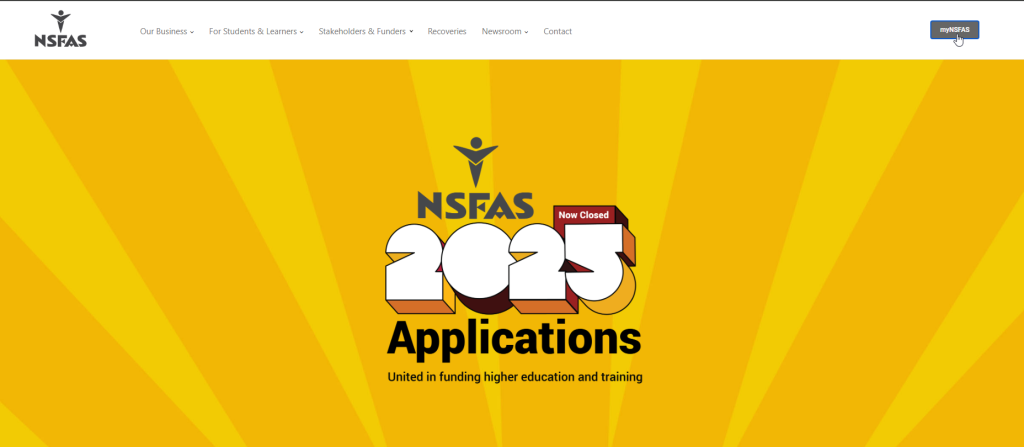
- Click on the myNSFAS tab at the top

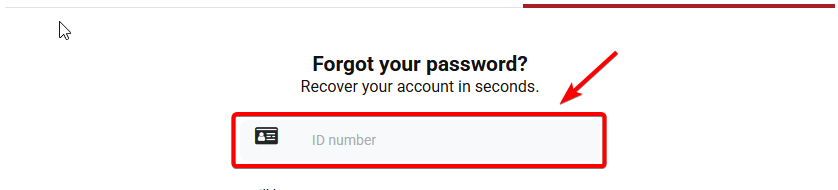
- Select “Forgot Password”

- Enter your South African ID number
- Choose SMS or Email as the reset method

- NSFAS will send you a link to reset your password
- Click the link and create your new password
- Return to the login page and use your new details
Tip: Your new password must have at least 8 characters and include both numbers and letters.
What to Do If You Lost Your Phone or Email
If you no longer have access to your registered contact details, you must update them before resetting your password. Here’s how:
- Visit a NSFAS walk-in centre or your institution’s financial aid office
- Take your ID document and student number
- Ask them to update your email or cellphone number
- Try the reset process again once details are changed
Password Reset vs Full Account Recovery
Here’s the difference between a password reset and full recovery:
| Password Reset | Full Account Recovery |
|---|---|
| You remember your ID and have contact access | You forgot login, ID, and lost access |
| Uses SMS or email link to reset | May require phone calls or walk-in centre visit |
| Fast and usually works in 10 minutes | Takes longer and needs verification |
Tips to Avoid Getting Locked Out Again
- Save your new password in a secure app or notebook
- Don’t share your NSFAS login details with anyone
- Use the same cellphone and email throughout your studies
- Log into your account every few months to keep it active
SEE: How to Keep your NSFAS Account Safe
Related Help Articles
Need more help with your account? Read these:
FAQ: Resetting myNSFAS Password
Can I reset my NSFAS password without email?
Yes. You can use your registered cellphone number instead.
What if I didn’t get the reset link?
Check your spam folder or try the SMS option instead.
How long does the reset process take?
Most users can reset in under 10 minutes.
Can I use someone else’s number to reset?
No. Only the number linked to your profile will work.
Is it safe to reset on public Wi-Fi?
Rather use a secure connection or mobile data to avoid risk.
What happens if I reset too many times?
You may be locked out for a short time. Wait and try again later.
Can I update my cellphone number on NSFAS?
Yes, but only by calling or visiting NSFAS support directly.
What’s the correct password format for NSFAS?
At least 8 characters with a mix of letters and numbers.
Is there another way to reset if I’m stuck?
Yes. You can contact NSFAS at 08000 67327 for help.
What if I enter the wrong ID number?
The system won’t find your account. Double-check before submitting.
Conclusion
Resetting your myNSFAS password is quick and easy if your contact details are correct. Use the online portal, follow the link, and set a new password to access your account.
Keep your login details safe and check in regularly so you never miss important funding updates.


