The NSFAS status check shows the current decision on your funding application and what you need to do next. After applying to the National Student Financial Aid Scheme, checking your status is the only way to confirm approval, track verification progress, and understand delays that may affect registration or allowances.
If you are unclear about status messages such as Provisionally Funded, Awaiting Registration, or Unsuccessful, this page explains what each NSFAS status means in simple terms and guides you on the correct action to take at every stage.
You will learn how to check your NSFAS status using your ID number or myNSFAS account, what causes common delays, and how to resolve issues such as missing documents, unpaid allowances, or appeal requirements.
Applications are closed. Your NSFAS status still matters for payments.
Now that the application period has ended, most students use the NSFAS status check for one reason. They want to see when funding moves from a decision to registration confirmation and then to allowances.
If your status shows Awaiting Registration, Provisionally Funded, Approved for Funding, or Payments, you are already in the stage where payment delays are common. Use the tool below to confirm your current message, then use the payment sections on this page to fix the next step.
If you are funded but still waiting for money, do not focus only on the word Approved. Payments usually follow after your institution confirms registration and the allowance channel is active. Jump to payment help
NSFAS Status Check 2026
Use the tool below to check your NSFAS status or select your result to understand what it means, especially for registration and payment delays.
Next steps
NSFAS status to payment timeline for 2026
A status check is not only about the approval result. It is also the tracker NSFAS uses to move you from checks, to registration confirmation, to payments and allowances.
What usually happens next
- Application Submitted then Filtering, Validation, Evaluation
- Funding Eligibility decision follows after checks are complete
- Provisionally Funded can appear while NSFAS waits for final confirmations
- Awaiting Registration appears when your institution has not confirmed registration yet
- Approved for Funding means you are funded, but payment is still linked to registration and setup
- Payments means the payment process has started, but it may take time to reflect
Most payment problems happen between Awaiting Registration, Approved for Funding, and Payments. That is why the next section focuses on allowance delays and what to do.
Choose what you need help with
Tap one option to go straight to the right steps. No guessing.
Unsuccessful status
See what to do next and how to appeal if you still qualify.
Jump to appeal stepsPopular sections

NSFAS 2026 payment dates
Payment timelines can vary by institution. In most cases, NSFAS allowances start after your institution confirms registration. If your status says Awaiting Registration, payments can delay until the registration upload is accepted.
What to do if you are waiting for money
- Confirm your registration is complete at your institution
- Check your status weekly during January to March and during allowance periods
- If your status shows Payments but nothing is coming through, check balance and wallet information
Use the full schedule here: NSFAS payment dates page.
Also useful: check NSFAS balance and Coinvest NSFAS balance.
Approved for Funding but no payment date
This is one of the most common situations after applications close. Approved for Funding confirms you are funded, but allowances still depend on your registration being confirmed and your payment channel working.
Most common reasons
- Your institution has not submitted or finalised registration data
- Your registration is submitted but still being processed by NSFAS
- Allowance setup is not active yet for your institution or wallet route
- Your details or documents still have a verification delay
What to do next
- Confirm registration is complete on campus systems
- Ask your financial aid office if registration data was submitted to NSFAS
- Check your balance or wallet updates during allowance periods
- Check your status again weekly until it changes
Use these guides: NSFAS payment dates, check NSFAS balance, NSFAS contact details.
Awaiting Registration for weeks
Awaiting Registration means NSFAS is waiting for your university or TVET college to confirm registration. Until this step is accepted, allowances often do not release.
What to ask your campus
- Is my registration finalised for the academic period?
- Has my registration data been sent to NSFAS?
- Is my funding linked correctly to my student number and qualification?
- When is the next NSFAS registration upload batch?
If your institution confirms that your registration was submitted, your status may still take time to update. Keep checking weekly and monitor the payment section during allowance periods.
Related: NSFAS contact details and NSFAS payment dates.
My status says Payments but I still have not received money
Payments means the process has started. It does not always mean the allowance has already reached your wallet or your institution account. Processing time can vary.
Check these first
- Your registration is confirmed and still active
- Your allowance route for your institution is correct
- Your wallet or balance shows updated activity
- You have no outstanding verification issues
If nothing changes
- Check again on the next allowance processing day for your institution
- Confirm with your financial aid office if payments were received from NSFAS
- Use NSFAS official support channels if the delay continues
Use these checks: check NSFAS balance and Coinvest NSFAS balance.
NSFAS status check meaning for 2026
When you check your status, you will see one message on your dashboard. Use the cards below to understand what the message means and what to do next.
Application Submitted
Your application was received. NSFAS still needs to process and verify details before making a decision.
Filtering
NSFAS is checking your basic information and documents. Missing or unclear uploads can delay progress.
Validation
NSFAS is validating ID, income and related records. Delays can happen when verification takes longer.
Evaluation
NSFAS is reviewing academic and financial info to confirm you meet the funding rules.
Funding Eligibility
NSFAS is checking if you qualify based on income and institution rules. A final decision follows after checks are done.
Awaiting Academic Results
NSFAS is waiting for your institution to submit or confirm results. This can delay final funding outcomes.
Awaiting Registration
NSFAS is waiting for your university or TVET to confirm registration. Payments often do not start before this is confirmed.
Provisionally Funded
You likely qualify, but NSFAS still needs final confirmations such as registration before full funding and allowances.
Approved for Funding
You are funded. Allowances depend on registration confirmation and the correct payment setup for your institution.
Payments
NSFAS has started the payment process. The institution or payment channel may take time to reflect it.
If your status shows Unsuccessful, go to the appeal section next. Jump to appeal steps
For a deeper breakdown of the status tracker, use these: NSFAS application status and myNSFAS application status.
NSFAS status check methods
Choose one preferred method below.
Online portal
Best option if you have internet access and a working myNSFAS login.
Use the online portal stepsUsing reference number
Useful if you saved your NSFAS reference number after applying.
Open the reference method guideHow to do an NSFAS status check online in 2026
The fastest way to check your status is through the official myNSFAS portal. Use the button at the top of this page to open it, then log in.
Steps
- Open the myNSFAS portal: my.nsfas.org.za
- Log in using your ID number or email and your password
- On the dashboard, select the option for application or funding status
- Read your status message and compare it with the meanings on this page
If you cannot log in, go to the reset section below.
NSFAS status check using ID number
You can check your status using your South African ID number through the myNSFAS portal. This works best when you remember your password.
Steps
- Open the myNSFAS portal: my.nsfas.org.za
- Log in using your South African ID number and password
- Open the application or funding status section on your dashboard
- Read your status message and compare it to the meanings below
If your ID number does not match what you used when applying, the portal may reject your login.
NSFAS status check using reference number
If you saved your NSFAS reference number after applying, you can use it as a backup when tracking your application. This is useful when access to email is a problem.
Steps
- Log in to the myNSFAS portal: my.nsfas.org.za
- Open your applications section on the dashboard
- Find the option to track or check your application
- Enter your NSFAS reference number and submit
- Read the status message and use the meanings section below
NSFAS status check via WhatsApp
If you do not have a laptop or stable internet, WhatsApp can still help you check your NSFAS application status.
Steps
- Save this number: 078 519 8006 (NSFAS WhatsApp)
- Open WhatsApp and send a message: Hi
- Reply with the menu option for application or status checking
- Follow prompts and use your ID number or reference number
- NSFAS replies with your current status
If WhatsApp does not work, try the USSD method.
NSFAS status check via SMS (USSD code)
USSD works on any phone and does not need internet. It is helpful if the portal is slow or unavailable.
Steps
- Dial *120*67327# on your cellphone
- Follow the on-screen prompts
- Enter your South African ID number or NSFAS reference number
- You receive an SMS with your current application status
If USSD is offline, try WhatsApp instead.
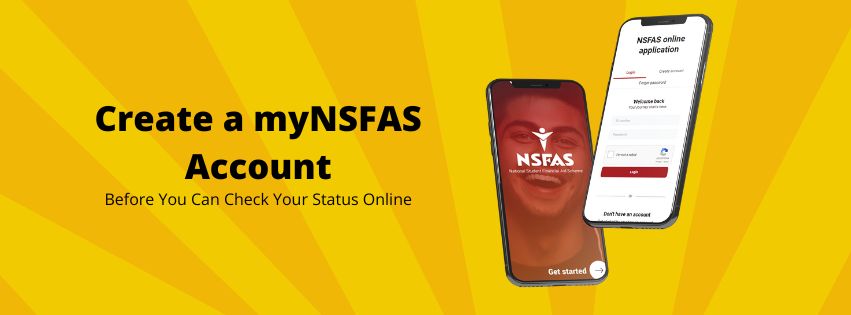
Create a NSFAS Account Before you can Check your NSFAS Status
How to create a myNSFAS account
To do an NSFAS status check online, you need a working myNSFAS account. This is where NSFAS posts updates like filtering, evaluation, funding decisions, and payment messages.
Steps
- Go to the myNSFAS portal: my.nsfas.org.za
- Select the option to register or create an account
- Enter your South African ID number and personal details
- Create a secure password and confirm your contact details
- Complete the verification step sent by SMS or email
- Log in and check your application or funding status
If you want a full guide with screenshots and common issues, use the link below.
NSFAS status check says Unsuccessful
Unsuccessful means NSFAS did not approve your funding application. This can happen due to eligibility rules, missing documents, income checks, or institution related problems. If you still qualify, an appeal may be available.
How to appeal
- Log into your myNSFAS account
- Open the application tracker on your dashboard
- Select Submit Appeal if the option appears
- Upload supporting documents such as proof of income or updated results
- Submit your appeal and keep tracking your status
If you are appealing due to missing documents, use the checklist before uploading.
NSFAS application cycles explained
When you do an NSFAS status check, your result is strongly influenced by where you are in the application cycle. NSFAS does not process all applications at once. Each cycle has different checks and delays.
Main application cycle
- Usually opens before the academic year
- Most students apply during this period
- Statuses like Filtering, Validation, and Evaluation are common
- Final outcomes depend on documents and income checks
Late or catch-up cycle
- May open after initial deadlines
- Often linked to TVET or specific university intakes
- Status movement can be slower
- Funding depends on available budget
Why this affects your status
If you applied late, your status may stay at Application Submitted or Filtering longer. This does not automatically mean rejection. It often means your application is waiting in a later processing queue.
For exact timelines and opening periods, use: NSFAS 2026 deadlines and NSFAS application launch updates.
Which courses NSFAS funds
Your NSFAS status check can show Unsuccessful or Funding Eligibility issues if your course does not meet NSFAS funding rules. NSFAS does not fund every qualification.
Generally funded
- Approved undergraduate degrees at public universities
- TVET college programmes on the NSFAS approved list
- Teaching, nursing, engineering, and priority skills programmes
- Students meeting academic progression rules
Not funded
- Private colleges and private universities
- Short courses not approved by NSFAS
- Postgraduate studies (with limited exceptions)
- Courses exceeding NSFAS progression limits
How this affects your status
If your course is not funded, your status may remain at Funding Eligibility and later move to Unsuccessful. This is common even when income requirements are met.
If you are unsure about your qualification, also review: NSFAS N+2 rule and NSFAS 2026 funding changes.
If your course is not funded, you may need to consider: alternative funding options.

What NSFAS covers when approved
When your NSFAS status check shows Approved for Funding, it means NSFAS has committed to cover specific study costs. Payments usually start after your institution confirms registration.
University students
NSFAS usually covers tuition and approved allowances like accommodation, transport, and learning support.
Student accommodation rulesTVET college students
NSFAS covers approved programmes and may include allowances depending on your situation and registration.
Jump to payment dates- Your status shows Awaiting Registration and your institution has not confirmed registration yet
- Your documents are missing or unclear and your application gets stuck in filtering
- Payment setup issues at the institution or wallet channel delay allowances
If you are waiting for a device, use this guide: NSFAS digital learning device programme and free NSFAS laptop guide.
Who qualifies for NSFAS in 2026
Your NSFAS status check result depends on eligibility checks. NSFAS reviews citizenship, institution type, household income, academic progression, and documents.
What NSFAS checks
- South African citizenship
- Public university or public TVET registration
- Household income within the funding threshold
- Academic progression rules and results submissions
- Documents and identity verification
If you want to understand academic progression rules, use: NSFAS N+2 rule explained.
Reset myNSFAS login details
If you cannot log in, you cannot see status updates like Provisionally Funded, Approved for Funding, or Payments. Fix login issues first, then come back and check your NSFAS status again.
Steps
- Open the myNSFAS portal: my.nsfas.org.za
- Select Forgot Password or login help
- Enter your South African ID number
- Complete verification steps sent by SMS or email
- Create a new password and log in again
For the full reset guide, use: Reset your myNSFAS password.
FAQ: NSFAS Status Check
When will NSFAS pay allowances for 2026?
Allowance timing can differ by institution. In most cases, payments only start after your institution confirms your registration and NSFAS starts processing allowances.
Approved for Funding but no payment date. What does it mean?
It means you are funded, but allowances are not released yet. This usually happens when registration confirmation or payment setup is still pending at your institution.
What does Provisionally Funded mean in NSFAS?
It usually means you likely qualify, but NSFAS still needs final confirmations, often registration, before allowances can be released.
My status says Payments Processing but I still have not received money.
Payments Processing means allowances are being processed, not always that money is already received. Check your balance or wallet updates, and confirm your registration is active and correctly linked.
How do I check my NSFAS balance?
Use your allowance channel for your institution and your balance tools. If your balance does not update, it is often linked to registration confirmation or payment processing time.
Why is my NSFAS status not changing?
Delays are common during verification, academic results checks, and registration uploads. If you are stuck on Validation, Evaluation, or Awaiting Registration for a long time, contact your institution support desk and then NSFAS support if needed.
Do I need to sign a bursary agreement before NSFAS pays?
If an agreement appears in your account, complete it as soon as possible. Funding steps can be delayed if required actions in your portal are not completed.
What should I do if my NSFAS status says Unsuccessful?
Check the reason on your myNSFAS dashboard. If an appeal option is available and you still qualify, submit it as soon as possible with clear supporting documents.
Can I check my NSFAS status without internet?
Yes. You can use USSD or WhatsApp. If one method is offline, use another method or try again later during non-peak hours.
Conclusion
Checking your NSFAS status in 2026 is no longer only about seeing an approval decision. It is how you track registration confirmation, payment progress, and allowance delays after applications close.
Use the online portal to confirm your latest status, then use WhatsApp or USSD if the portal is slow or unavailable. Pay close attention to messages like Awaiting Registration, Approved for Funding, and Payments Processing, as these directly affect when allowances are released.
Keep your documents clear, your contact details up to date, and check your status regularly during registration and allowance periods. Early checks help you spot delays, follow up with your institution, and avoid missing important funding steps.